Port of Tampa: How One AI Agent Replaced 3 Hours of Email
A port operations team spent 3 hours daily triaging 150+ vessel emails. A custom AI agent cut that to 20 minutes with zero missed updates in 90 days.

TL;DR: A port operations team in Tampa Bay was spending three hours a day reading, categorizing, and routing 150+ vessel-related emails. Granular built a custom AI agent in four weeks that triages every inbound email, extracts structured data, and stages updates for human review. Processing time dropped to 20 minutes a day. Zero critical vessel updates missed in the first 90 days.
The port operations team in Tampa Bay was not failing. The vessels moved, the berths got assigned, the cargo manifests got filed. But three hours of every dispatcher's day disappeared into an inbox, and everyone on the team knew it.
They asked Granular to fix the inbox. Four weeks later, it was fixed.
What the Inbox Actually Looked Like
The team was handling more than 150 inbound emails per day, covering vessel ETAs, berth assignment requests, cargo manifest updates, crew change notices, and status confirmations from agents, carriers, and stevedores. Every message had to be read, classified, and routed to the right record by hand.
Port Tampa Bay handles more than 35 million tons of cargo annually and operates 24 hours a day, seven days a week. The volume of vessel-related communication that flows through a port operations center at that scale is not modest. Missing a berth reassignment or a revised ETA is not a filing error; it is a scheduling breakdown that costs money and delays ships.
The problem the team had was not unique. Sedna's research on maritime email management found that maritime professionals routinely handle hundreds of emails per day, and that 56% of teams report each member loses at least half an hour daily to email overhead alone. In an environment where a single port call can involve up to 28 separate coordinating parties, including pilots, tugs, stevedores, and agents, the communication surface area is large by design.
The Tampa team's three hours a day was not laziness or bad process. It was the predictable result of high message volume, unstructured content, and no tooling built for the job.
"We were reading the same email three times just to figure out what it was actually telling us. ETA change, berth preference, or just an agent checking in. They all look the same when you're going through 150 of them."
Why Off-the-Shelf Tools Did Not Solve It
The team had looked at general email management software before coming to Granular. The issue was specificity. Maritime email is not structured like a support ticket or a sales lead. It does not have clean fields. An ETA notification might arrive as a forwarded chain with a revised time buried in the third paragraph. A berth request might come from an agent who phrased it differently than the last time they emailed.
Monson Agencies, a bulk shipping agency with over 100 employees globally, reduced their email volume by 90% after building a purpose-built system, but that project involved years of configuration and integration work. The Tampa team needed something operational in weeks, not quarters.
General workflow automation tools can handle predictable, well-formatted inputs. Maritime email is neither. You need a model that understands context, not just keywords.
For a deeper look at when to build versus buy in situations like this, see the build vs. buy guide for mid-market AI.
How the Agent Works
Granular delivered the Vessel Inbox Triage Agent at a fixed price over four weeks. Here is the architecture at a high level.
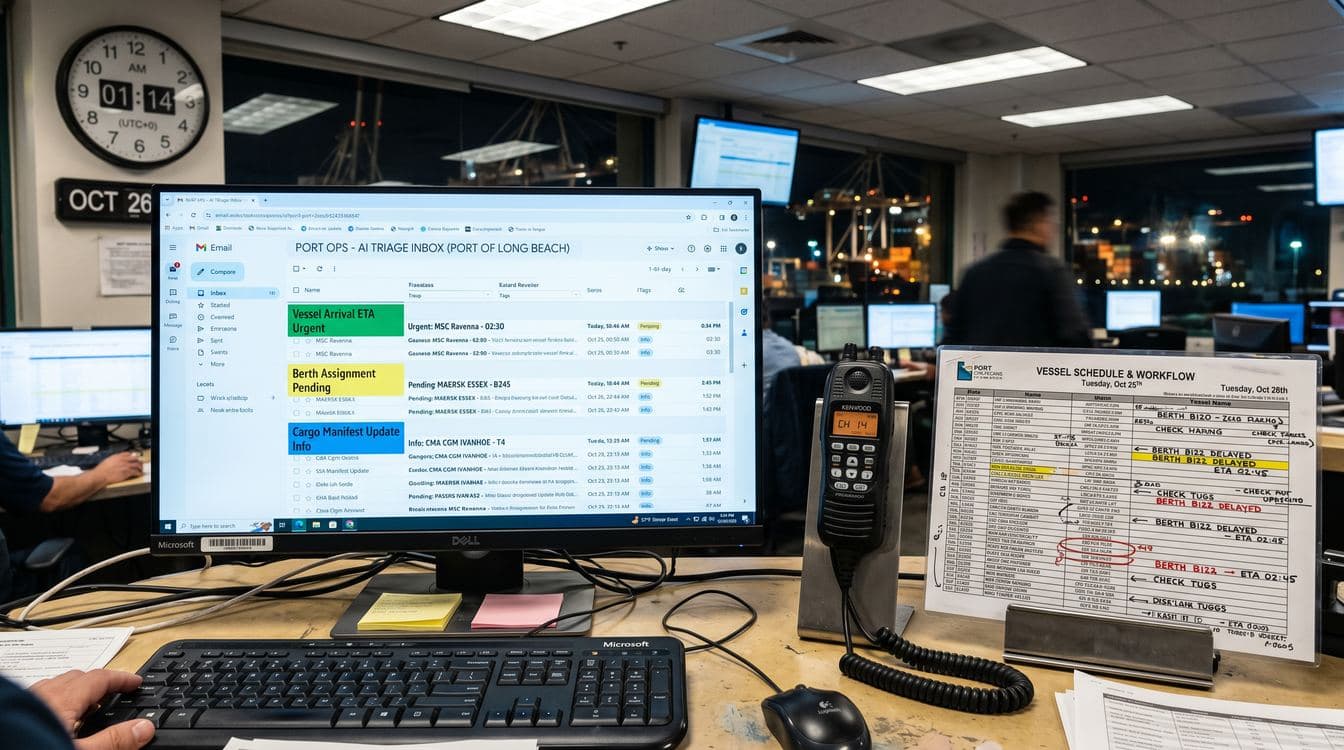
Intake. A Gmail integration feeds inbound emails into a structured data layer at regular intervals. Every message gets a record with its raw text, sender, subject, and timestamp preserved.
Classification and extraction. The AI agent reads each new email and determines what type of communication it is: ETA update, berth assignment, cargo manifest notice, crew change, agent confirmation, or something else. It then extracts the relevant structured data from the email body. For an ETA update, that means pulling the vessel name, voyage identifier, revised arrival time, and any notes. For a berth assignment, it pulls the berth number and effective date.
Staging. The agent does not write directly to live voyage or vessel records. Instead, it creates a staged update record marked as "Pending Review." The dispatcher opens a review queue each morning, scans the staged updates, and confirms or rejects each one before anything hits the live system. This is the human-in-the-loop checkpoint that the team insisted on, and it is the right call.
Conflict resolution. When a second email arrives for the same voyage that already has a pending staged update, the agent creates a new record for the latest message and automatically marks the prior one as superseded. The dispatcher never sees duplicate pending records for the same voyage. They see the most current information, with a note that an earlier version was replaced.
Summaries. Each morning, a summary record is generated covering the prior day's processed email volume, classification breakdown, and any items flagged as needing closer attention.
The Human-in-the-Loop Design
There is a version of this project where the agent writes directly to live records. It would save another five minutes a day. The team chose not to build that version, and their reasoning was sound.
Port operations carry real-world consequences. An incorrect berth assignment or a missed ETA change does not stay in a database. It cascades to tugs, pilots, stevedores, and terminal operators. The dispatcher review step takes 20 minutes instead of the original three hours because the agent has already done the reading, classifying, and structuring. The dispatcher is confirming, not discovering.
This is the distinction that matters when evaluating AI implementations: the goal is not to remove the human. The goal is to put the human at the decision point rather than the inbox.
For a fuller treatment of that question, the piece on capturing tribal knowledge before key people leave covers why operators are often the hardest part of any automation project to replace entirely.

Results at 90 Days
The numbers from the first 90 days of operation:
- Processing time: from three hours to 20 minutes per day
- Critical vessel updates missed: zero
- Emails processed: over 13,500
- Dispatcher override rate (where the human rejected the agent's staged update): under 4%
The 4% override rate is the most informative number. It means the agent's classification and extraction was accurate enough that the dispatcher disagreed with it on fewer than 1 in 25 records. That rate has been stable since week three of operation, which suggests the model is not drifting.
The team also identified a secondary benefit they had not anticipated. Because every inbound email now produces a structured record, they have a searchable history of all vessel communications. Before the agent, reconstructing the sequence of emails around a delayed vessel meant hunting through a shared inbox. Now it is a filtered view.
"We spent two years saying we needed to digitize this process. We assumed it would take six months and a big system overhaul. It took four weeks and it works better than I expected."
What the Build Actually Required
The four-week timeline was achievable because the scope was narrow and the team was decisive about what the agent would and would not do.
Week one was intake design and email sampling. Granular pulled a representative batch of recent emails across every type the team received and used them to design the classification taxonomy.
Week two was agent build and initial testing against the email sample. The staging and human-review workflow was built alongside the agent, not after.
Week three was live-data testing with the dispatcher reviewing staged updates in parallel with the existing manual process. This is where the override rate was established and the conflict-resolution logic was refined.
Week four was handoff, documentation, and the dispatcher training session. The session was two hours.
The team had considered building this internally. Their IT contact had suggested it would take three to four months. The fixed-price, four-week delivery compressed that meaningfully. For context on how to evaluate those tradeoffs, the AI vendor evaluation guide covers how to assess build timelines and delivery risk without needing a technical co-founder in the room.
What Port Operations Teams Can Take From This
The Tampa project is not a one-off. Port operations, shipping agencies, freight forwarding desks, and logistics coordinators all share the same underlying condition: high-volume, unstructured email communication feeding into systems that were not designed to receive it directly.
The pattern that worked here, structured intake, AI classification, human-reviewed staging, applies to any operation where:
- Email volume exceeds what a person can triage without losing context
- The content is unstructured but follows recognizable patterns
- Errors in downstream records carry real-world consequences
- A human needs to stay in the loop but does not need to read every message
Teqplay's research on port call complexity notes that a single port call can involve up to 28 coordinating parties. Each of those parties communicates by email. The coordination overhead is structural, not accidental. An agent that handles the reading and structuring makes the coordination manageable without replacing the coordinator.
MarineLink has covered the broader digitalization pressure on port operators, noting that teams that do not build toward structured data workflows will fall behind as vessel volumes and complexity increase. The Tampa team moved first in their peer group. That is a competitive advantage as well as an operational one.
FAQ
How long does it take to set up a vessel inbox triage agent?
The Tampa Bay project delivered in four weeks at fixed price. That timeline assumed a narrow scope: one email intake source, a defined classification taxonomy, and a human review step built into the workflow. Projects with more email sources, more complex record systems, or ambiguous classification requirements will take longer to scope and build.
Does the agent write directly to our vessel or voyage records?
Not in the configuration Granular built for this project. Every classified email becomes a staged update that a dispatcher reviews before it hits the live record. That human checkpoint is intentional. If your team has specific workflows where direct writes make sense for certain low-risk message types, that can be scoped as a follow-on feature.
What happens when two emails arrive about the same voyage?
The agent identifies that both emails reference the same voyage, creates a new staged update for the most recent message, and marks the earlier pending record as superseded. The dispatcher only sees one active pending record per voyage at any given time.
Can this work if our emails come from dozens of different agents with no consistent format?
Yes. The agent uses a language model for classification and extraction, not keyword matching or template parsing. Inconsistent sender formatting and phrasing variation are exactly the conditions a language model handles well. The Tampa team had email from more than 40 distinct senders across carriers, agencies, and terminal operators, with no standardized format across any of them.
What does this cost?
Granular scopes and prices these projects on a fixed-price basis after a discovery call. The factors that affect cost are: number of email sources, complexity of the classification taxonomy, how deeply the staged updates need to integrate with existing record systems, and whether the human-review interface needs to be custom-built or can use existing tooling. The Tampa project was delivered at a scope and price the team could approve without a capital expenditure process.
If your team is spending meaningful time each day reading emails that could be classified and structured automatically, Granular can scope a solution in a single conversation. Book a discovery call to walk through your inbox workflow and see what four weeks of focused build time could do.
Keep Reading
- Build vs. Buy AI: What No One Tells Mid-Market Leaders -- How to decide whether to buy a vendor product or build a custom agent, with a framework that applies directly to inbox triage and similar operations problems.
- How to Evaluate AI Vendors When You Don't Have a CTO -- A practical guide for operations leaders who need to assess AI project proposals without deep technical expertise on staff.