How to Cut Law Firm Intake From Three Days to Hours
Most mid-market law firms spend two to three days getting new clients through intake. Here is the workflow that cuts it to hours.

TL;DR. A $40M law firm loses paying matters every week to intake delay, not pricing. The bottleneck is not the conflict check itself; it is the four to seven systems the conflict data sits in, the half-finished intake forms that arrive from voicemail, and the partner queue that nobody manages. This playbook walks the five steps that take new-client intake from two or three days down to under four hours: standardize the form, centralize the conflict universe, automate the first-pass screen, tier the routing, and set an SLA with a named owner. AI helps at exactly one point in the workflow. The rest is process.
A prospective client calls your firm on Monday morning about a commercial dispute. By Wednesday afternoon, your intake coordinator is still chasing the originating partner for sign-off on the conflict check. By Thursday, the client has retained the firm down the street.
This is a workflow problem, not a sales problem. The fix is five steps: standardize the intake form, centralize the conflict universe, automate the first-pass screen, tier the review routing, and put a four-hour SLA on the queue. Two weeks of work for a firm under 30 attorneys.
The 72-hour intake delay you stopped seeing
Walk a mid-market law firm intake process from the prospect's voicemail to a signed engagement letter and you find the same shape almost every time. Lead capture (one hour). Prescreen and qualification (same day, maybe). Conflict check (one to three days). Partner review of the conflict result (one to two days). Engagement letter drafting (same day). E-sign and payment (one to seven days).
The conflict check itself is not what is slow. According to Lawmatics' 2026 intake guide, a manual conflict check on a routine matter runs 45 to 90 minutes. An automated check runs under three minutes. The rest of those three days is data hygiene, sign-off queues, and entity-name reconciliation across systems that were never built to talk to each other.
ALM Legal Intelligence reports that the average mid-size firm has conflict data spread across four to seven separate systems: the practice management platform, the billing system, a marketing CRM, a contacts database in Outlook, a folder of old engagement letters, and at least one spreadsheet that the senior paralegal maintains. Forty-three percent of mid-size firms replaced their conflict checking tool between 2024 and 2026 specifically because integration broke at this layer.
You are not behind. You are running a workflow that was designed for a 12-attorney firm in 2014, and you have 45 attorneys now.

What is actually slow
Three things, in this order.
Incomplete data at intake. The single most common reason a conflict check stalls is that the intake form does not contain the opposing party, the corporate parent, the spouse in a family matter, or the referring attorney. According to the ABA's young lawyers practice management guide, the conflict check depends on full legal names, aliases, DBAs, related parties, opposing parties, opposing counsel, co-defendants, key witnesses with material interests, referring attorneys, and spouses or domestic partners. Most intake forms collect three of those nine. The paralegal then spends a day on the phone trying to fill the rest in.
Fragmented conflict universe. Even if the form is complete, the conflict check is only as good as the matter history it runs against. If your former-client list lives in three places and the names are spelled differently in each, you are missing 18 percent of actual conflicts (ALM Legal Intelligence again). Exact-match-only screening on "Acme Corp" never catches a former engagement with "Acme Corporation, Inc." or "ACMECO LLC."
Unmanaged partner queue. This is the one nobody admits. The originating partner sees the conflict result Tuesday morning, has six trial deadlines, and the matter sits in their inbox until Thursday. No SLA on partner review, no escalation. The intake coordinator follows up by Slack and waits another day.
The workflow that cuts it to hours
Five steps. None of them require a new platform. Three of them are free.
Step 1: Standardize the intake form
Every prospective-client intake collects the same fields, every time, with the critical ones mandatory. At minimum:
- Client full legal name plus any aliases, DBAs, prior names
- Corporate structure (parent, subsidiaries, affiliates) for entity clients
- Opposing party names plus any aliases, DBAs, prior names
- Opposing counsel name and firm
- Co-defendants or co-plaintiffs and their counsel
- Key witnesses with material interests
- Referring attorney or referral source
- Spouse or domestic partner names (family, estate, immigration matters)
- One-paragraph matter description
- Practice area and originating partner
Build it in your existing CRM or intake tool (Clio Grow, Lawmatics, MyCase, a Typeform tied to a Google Sheet, it does not matter for the workflow). What matters is that intake coordinators cannot save the form until the mandatory fields are populated. No more "we will fill in opposing counsel later."
If you handle insurance defense, plaintiff PI, transactional, and family in the same firm, you need four versions of the form. Each practice area has different conflict-relevant fields. The mistake is one generic form that fits no one.
Step 2: Centralize the conflict universe
Pick one system as the source of truth for every name that has ever touched the firm. Clio Manage, Centerbase, or Aderant can hold this. So can a dedicated conflicts database (Intapp Conflicts is the heavyweight; smaller firms can use a structured Airtable or a custom database).
The hard work is not the tool. It is the data migration. Budget two to three weeks for deduplicating entity names, mapping corporate parents to subsidiaries, and reconciling spellings across legacy systems. Most firms try to skip this, end up with a centralized database missing 30 percent of historical matters, and lose trust in the tool inside three months.
Standardize the entity-naming convention as part of the migration. Write the rule down: legal entity names use the registered form ("Acme Corporation, Inc." not "Acme Corp"), individuals use first-name last-name, DBAs go in a separate field. Audit monthly for the first quarter.
Step 3: Automate the first-pass screen
With a clean intake form feeding a clean conflict database, the first-pass screen runs automatically. Pick the tool that fits your platform. Clio's integrated Conflict Check runs across contacts, matters, calendar events, notes, and documents. Lawmatics handles the prospective-client side. Intapp Conflicts is purpose-built for firms with complex corporate structures.
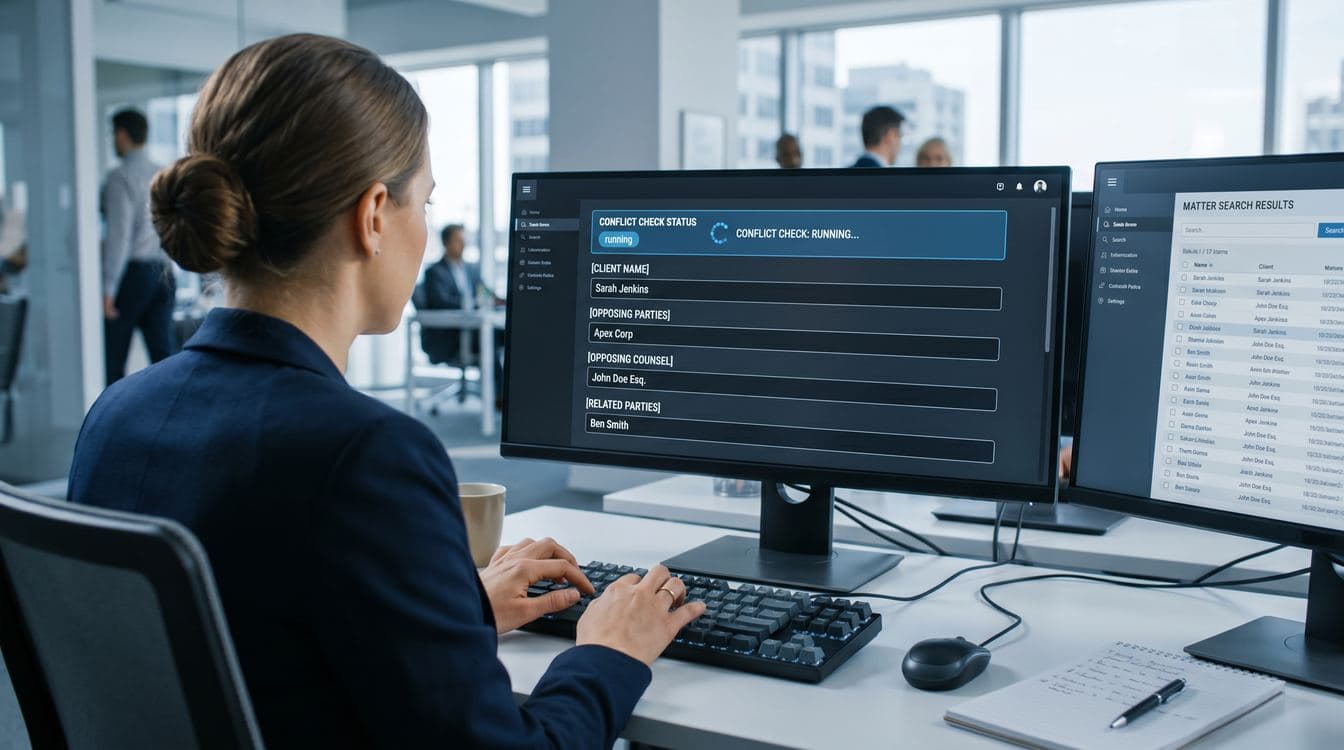
The first-pass screen does three things: exact match, fuzzy match for name variations, and corporate-family detection. It runs in under three minutes from intake form submission. The output is a structured result file with each potential match flagged by severity.
This is not a final answer. It is a triage layer that takes the 45-minute manual search off the paralegal's desk and puts a structured result in front of the right reviewer.
Step 4: Tier the alert routing
Not every potential conflict needs a partner. According to Thomson Reuters' conflicts management research, tiered routing prevents the conflicts committee from drowning. Define three tiers:
- Tier 1 (clear, no match): Intake coordinator clears the matter and moves to consultation scheduling. No partner touch.
- Tier 2 (potential match, ambiguous): Conflicts counsel or senior associate reviews within the SLA. Resolves with a yes, no, or "needs partner."
- Tier 3 (clear conflict, current or former client adverse): Originating partner and conflicts counsel review jointly. Document the consent process under ABA Model Rule 1.7 or 1.9 if the conflict is waivable, or decline the matter.
Write the routing rules into the tool. Most platforms support tier-based assignment. If yours does not, write a one-page protocol and tape it to the wall in the intake area. The point is that Tier 1 matters never sit in a partner's inbox.
Step 5: Set the four-hour SLA
Every tier gets a clock.
- Tier 1: cleared within one hour of intake submission.
- Tier 2: reviewed within four hours, escalated to partner if unresolved.
- Tier 3: partner response within 24 hours, with a named backup if the originating partner is in trial or out.
Assign an owner. Usually this is the intake manager or the managing partner's operations lead. They run a weekly report: how many matters cleared each tier on time, how many escalated, what the median time was. If a partner consistently sits on Tier 3 reviews, that is a management conversation, not a software problem.
The SLA is what turns the workflow into a measurable system. Without it, every step still works in isolation and the whole thing still takes three days because nobody owns the queue.
Where AI helps (and where it does not)
AI is useful in exactly one place in this workflow: entity resolution. The matching layer that decides whether "Acme Corp" in the intake form is the same entity as "Acme Corporation, Inc." in a 2019 matter, or whether the spouse in a divorce filing is also a board member at a current corporate client. This is pattern-matching work that the better conflict-check tools have been improving on for two years.
What AI does not do well, yet: replace the partner judgment call on consentability, draft the disclosure letter for an advance waiver, or decide whether to take the matter when the conflict is technically waivable but the optics are bad. Those stay with the partner.
Vendors will pitch you AI-powered intake assistants that promise to handle the whole workflow. The honest version is that AI replaces about 20 percent of the work, sitting between Step 3 (first-pass screen) and Step 4 (alert routing). The other 80 percent is data hygiene from Steps 1 and 2 plus management discipline from Step 5. Buying AI without fixing those is buying a faster way to produce noise. We have written more about how long AI actually takes to deploy at a $50M company; the intake-AI math is similar.
How to start this week
You do not need a new platform to start. You need three meetings and a spreadsheet.
Monday: Audit how long each step actually takes. Pull the last 20 new-matter intakes. Record the timestamps for initial contact, intake form complete, conflict check submitted, first-pass result, partner sign-off, engagement letter sent, engagement letter signed. Most firms have never measured this.
Tuesday: Find the three to five fields most often missing at intake. Same 20 matters. How many had opposing counsel populated on first submission? Corporate parents? Referring attorney? The answer drives Step 1.
Wednesday: Map your conflict universe. List every system that holds historical-client or matter data. CRM, PM platform, billing, Outlook, old engagement letter folders, the senior paralegal's spreadsheet. If it is more than four, you have a Step 2 problem.
That is your gap analysis. The workflow build takes two to three weeks for a firm under 30 attorneys, four to six for larger or multi-office. The platform decision sits inside the broader question of which practice management platform fits a $40M law firm. The workflow described here runs on any of them.
FAQ
How long should a conflict check take at a mid-market firm? Under four hours from intake submission to first-pass result for a routine matter. Tier 1 (no match) clears within an hour. Complex matters with multiple corporate entities can run one to two business days.
Do we need a dedicated conflicts counsel? At 30-plus attorneys, yes. At 15 to 30, a senior paralegal or operations manager with delegated authority works. The deciding factor is volume: more than 15 new matters a week and the conflicts review needs its own seat.
Can AI run the whole conflict check? No. AI handles entity resolution at the first-pass screen. Judgment calls on consentability, waiver drafting, and "should we take this matter" stay with the partner.
What is the malpractice risk of a manual process? Manual checks miss potential conflicts 25 to 30 percent of the time. ALM Legal Intelligence reports firms using manual processes face a 3 to 5 percent annual probability of a conflict-related malpractice claim, versus under 0.5 percent for firms using automated screening.
How much does the right tooling cost? Clio Grow runs $99 per user per month. Lawmatics is roughly $200. Intapp Conflicts starts in the mid five figures annually. The bigger budget item is the two to three weeks of paralegal time to clean up the conflict database before the tool is useful.
Granular builds custom intake and conflict workflows for mid-market professional services firms. Fixed price, four weeks, working tool. If your intake takes three days and you cannot point to where the time is going, book 30 minutes with us. We have walked this workflow with $30M to $80M law firms and can tell you in one call whether your bottleneck is the tooling, the data, or the partner queue.
Keep Reading
- Practice Management Software for $40M Law Firms. How Clio, MyCase, PracticePanther, Aderant, and Litify actually compare at the mid-market layer, and where custom work fills the gaps.
- Why Proposals Take Two Weeks at Your Services Firm. The same intake-stall pattern shows up in proposal workflows. Same fix shape: standardize, automate the first pass, tier the routing.